
Data management for live-event lighting
From fixture list to finished paperwork.
Patchbook brings fixtures, positions, DMX, power, cables, cases, reports, labels, and Vectorworks workflows into one practical workspace.
New to Patchbook? Create an account.- Fixture and DMX planning
- Power and cable systems
- Reports and labels
01 / GET ORGANIZED
A clear patch starts here.
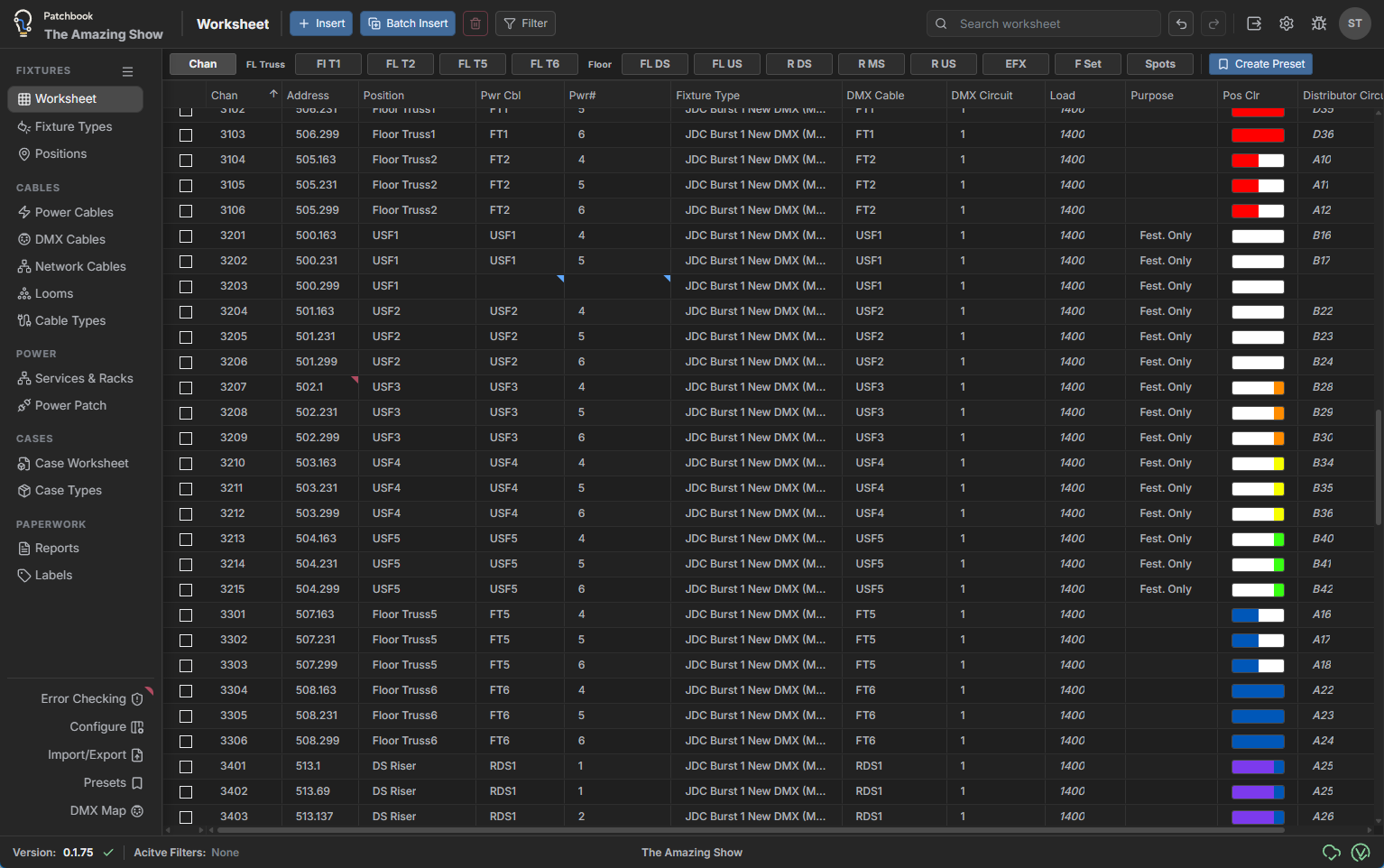
Bring fixtures, positions, and DMX into one working view. Shape the worksheet around your task and catch issues as the design develops.
- Flexible worksheets and batch editing
- Fixture profiles and reusable presets
- DMX mapping and error checks
02 / BUILD THE SYSTEM
Turn connections into a plan the crew can use.
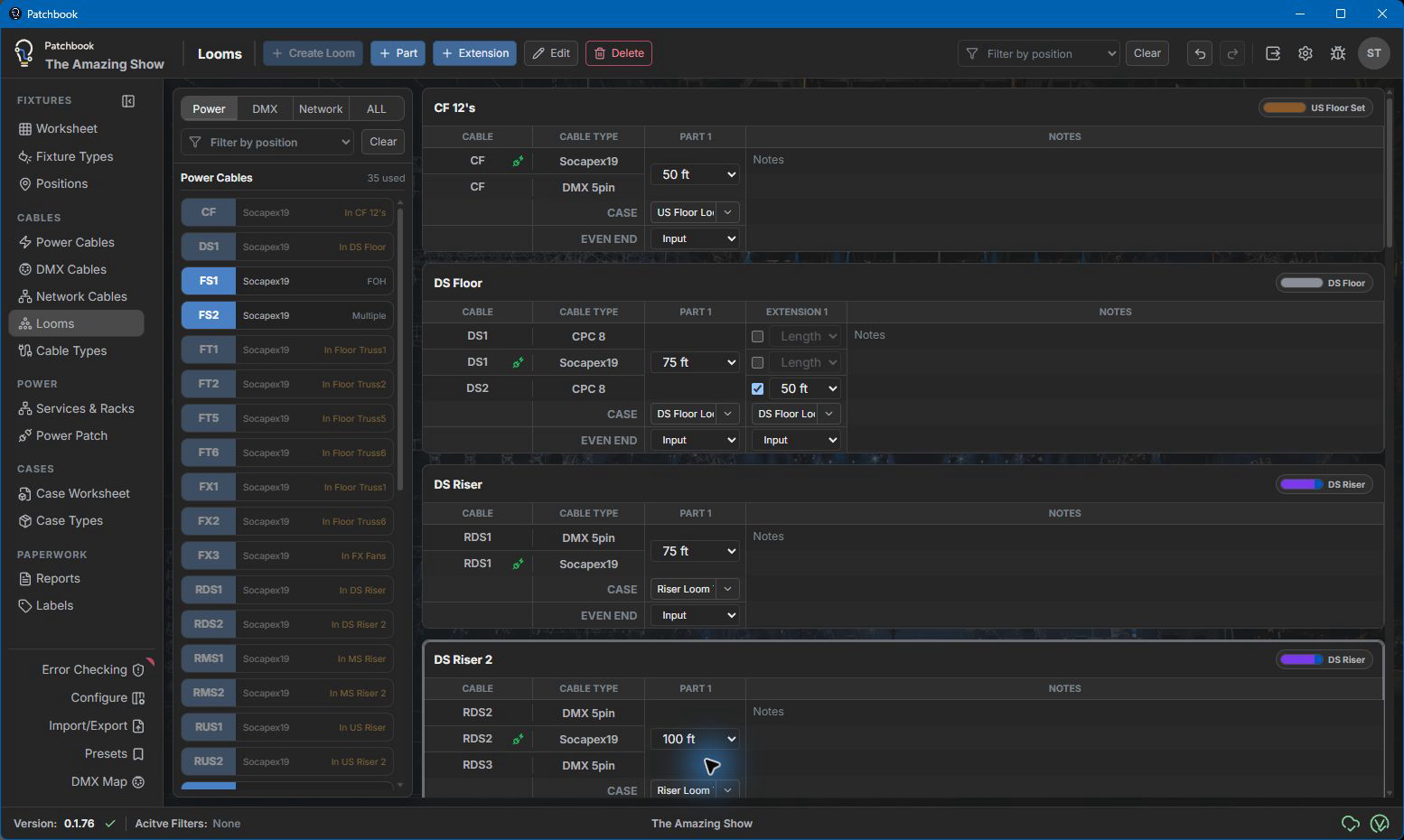
Follow power and signal through the production, then organize the gear that makes it happen. Keep circuits, cable runs, looms, and cases connected to the working patch.
- Power distribution and connected loads
- Power, DMX, and network cable planning
- Loom parts and case assignments
03 / KEEP WORK CONNECTED
Move the production forward together.
Exchange fixture changes with Vectorworks and share work across the team. Review revisions deliberately, with a local workspace when the venue network is unavailable.
- Vectorworks exchange and field mapping
- Cloud synchronization and show sharing
- Conflict review and offline desktop work
Screenshot needed: a shared production with collaborator access and a revision ready to review.
04 / DELIVER THE DETAILS
Give the crew paperwork they can work from.
Turn the data you maintain into practical schedules and labels. When the plan changes, regenerate the output for the next issue.
- Fixture, cable, and power reports
- Custom label layouts and stock sizes
- Reusable report and label templates
Screenshot needed: a readable fixture schedule beside labels generated from the same production.
Limited early testing
Patchbook is still being shaped.
Patchbook is currently in limited early testing. Features and workflows are still being refined, and you may encounter areas that change or need more polish. Your real-world testing, feedback, and feature requests directly help determine what Patchbook becomes.
What's new
Patchbook keeps getting more useful.
Start with the working show
Build the patch. Plan the systems. Deliver the paperwork.
Download the Windows application for the full local workspace or open Patchbook in a browser and begin organizing the show.